Custom Evaluators
Score sites on the criteria your team wrote.
Custom Evaluators are site scoring your team writes. Put the criteria in plain words, pick the data, and GrowthFactor scores each site 1 to 5 and writes out why.

The verdict
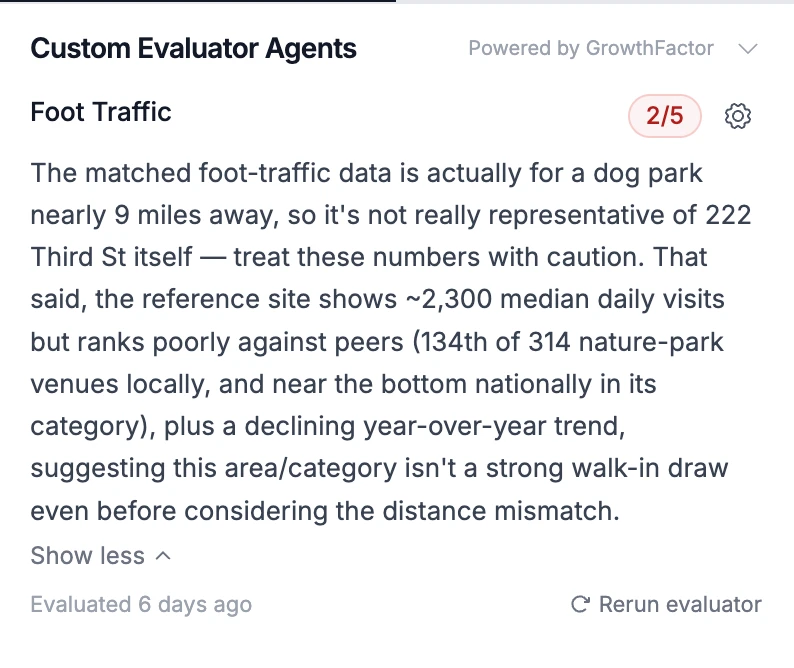
A 1 to 5 score, with the reasoning attached.
Every run returns a score and a written verdict. Your instructions decide what earns a 5, not a generic benchmark.
Inside an evaluator
Open the evaluator and read how it thinks.
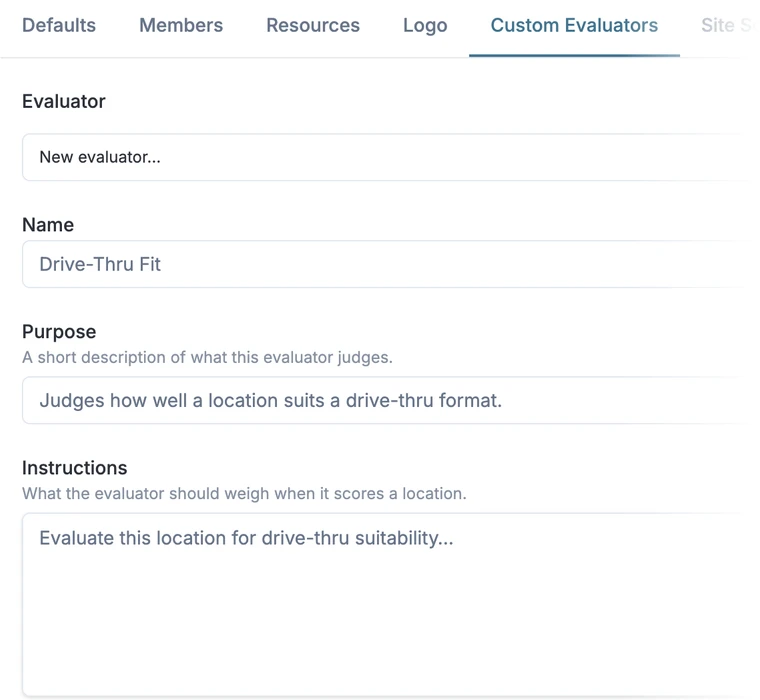
An evaluator is a short set of instructions your team writes. Your committee can read the criteria, the data it used and the verdict it reached.
Name and purpose
Say what the evaluator is for, like a drive-thru format or a first store in a new metro. A workspace can hold several and set one as the default.
"Drive-thru pads: qualify outparcel sites for the small format."
Instructions
Write the criteria the way you would brief a new analyst, in plain language. Your team owns them, with help at onboarding.
"Favor sites on the inbound side of the morning commute. Mark down any site that pulls sales from an existing store."
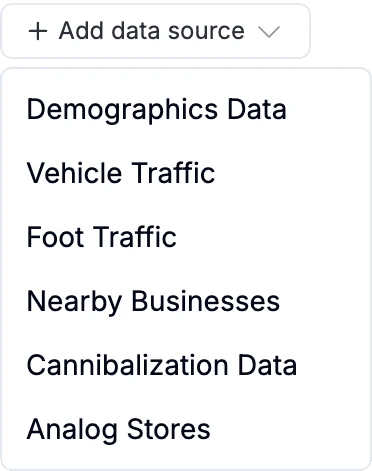
Data sources
Pick what the evaluator reads: demographics, vehicle traffic, foot traffic, nearby businesses, cannibalization and analog stores.
"Sources: vehicle traffic, cannibalization, analog stores."
Score and verdict
The evaluator runs when you open a pin. It scores the site 1 to 5 and writes out which inputs moved the score.
"4 of 5. Heavy morning traffic on the inbound side and little overlap with existing stores. Income trails the closest analogs."
Rerun
Change the instructions or the data sources, then rerun the evaluator on the same pin to see the new verdict.
"Rerun with foot traffic added: 3 of 5. Weekend visits trail the analog stores."
Analog stores
Judged against your own stores.
An evaluator can read your analog stores, so a site is measured against the locations most like it in your portfolio, not an industry average.
For every site you search, the platform finds up to five analog stores from your portfolio and ranks each by similarity. GrowthFactor Labs builds your revenue model on your own sales history.
7601 S Cicero Ave, Chicago, IL
Similarity: 91.1%
2544 N Narragansett Ave, Chicago, IL
Similarity: 84.5%
49 W North Ave, Northlake, IL
Similarity: 83.8%
2099 N Mannheim Rd, Melrose Park, IL
Similarity: 83.5%
8560 E 49th Pl, Denver, CO
Similarity: 82.3%
Your call
Disagree with the verdict? Change the instructions.
Good site calls come from informed disagreement. Edit the instructions, rerun the evaluator and bring the reasoning to committee.
- Rewrite the instructions when your view of a good site changes
- Add or drop data sources for each evaluator
- Rerun an evaluator on any pin
- Keep a separate evaluator for each format or question
- Set one evaluator as the workspace default
Every site you score can become a deal.
Every site and deal sits in one place, with its evaluator verdicts kept alongside it.
1 to 5
Score on every run, with a written verdict
Yours
Criteria written by your team in plain language
Zero
Black box decisions